Detectors
Review of all the detectors implemented in ByoTrack. For more details, have a look at the documentation or implementation of each detector.
Wavelet Detector (Wavelet decomposition + noise filtering)
StarDist (Unet + StarConvex prior)
[1]:
import cv2
import matplotlib.pyplot as plt
import numpy as np
import torch

import byotrack
import byotrack.example_data
import byotrack.napari  # For Napari visualization [REQUIRES NAPARI]
Load a video
[2]:
# Open an example video
video = byotrack.example_data.hydra_neurons()

# Or provide a path to one of your video
# video = byotrack.Video("path/to/video.ext")

# Or load manually a video as a numpy array
# video = byotrack.Video(np.random.randn(50, 500, 500, 3))  # T, H, W, C
[3]:
TEST = True  # Set to False to analyze a whole video

if TEST:
    video = video[:50]  # Temporal slicing to analyze only the first 50 frames
[4]:
# Preprocess the video (normalization & channel aggregation)

print(video.shape, video.dtype)

video.add_preprocessor(byotrack.video.ChannelProjection("mean"))
video = video.normalize(q_min=0.01, q_max=0.999, smooth_clip=1.0)

print(video.shape, video.dtype)
(50, 848, 1024, 3) uint8
(50, 848, 1024, 1) float32
[5]:
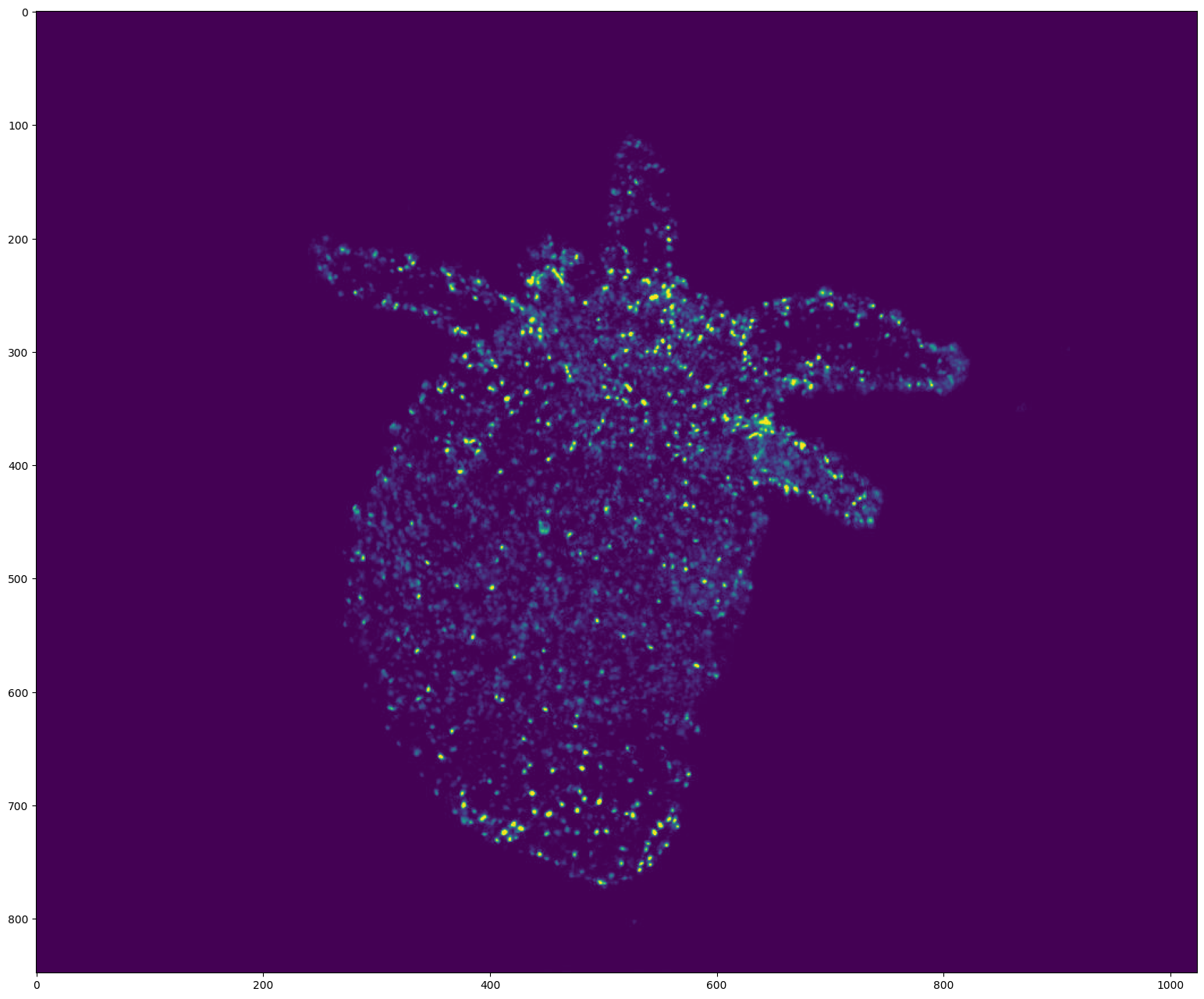
# Display the first frame

frame = video[0]
if video.ndim == 5:  # (T, D, H, W, C) (3D video)
    frame = frame[frame.shape[0] // 2]  # Show the frame in the middle of the stack

plt.figure(figsize=(24, 16), dpi=100)
plt.imshow(frame)
plt.show()
WaveletDetector
[6]:
from byotrack.implementation.detector.wavelet import WaveletDetector
[7]:
# See the Detector documentation

WaveletDetector?
Init signature:
WaveletDetector(
    scale=2,
    k=3.0,
    *,
    min_area=3.0,
    max_area=inf,
    watershed: 'Watershed | None' = None,
    device: 'torch.device | None' = None,
    **kwargs: 'Any',
)
Docstring:
Detection of bright spots using B3SplineUWT.

Following paper from Olivo-Marin, J.C. Extraction of spots in biological images using
multiscale products. Pattern Recognit. 35, 1989-1996

It supports 2D and 3D videos.

The algorithm is in 4 steps:

1. UWT decomposition
2. Scale selection
3. Noise filtering
4. Connected components labeling (CCL) / Watershed labeling (WL)

The multi scales behavior (choosing multiple scales) was implemented but we decided to drop it.
It adds complexity without real advantages from our experience.

The same algorithm is implemented in Icy Software (SpotDetector). The main differences are:

* n-D wavelets (rather than n times one dimensional wavelets). It was designed to improve computations,
  but with torch no gain in time is observed in 2D. This can be switched either by calling `optimize`
  that will try to find the fastest option for your case, or manually by modifying the `b3swt` parameter.
* Thresholding -> We follow the original paper using k times the std

Watershed can optionally be used instead of CCL. This enables the separation of close spots. This leads to
a tradeoff between under-segmentation with CCL and over-segmentation with WL. Note that contrary to
`WatershedRefiner`, watershed is run on the wavelet coefficients rather than the image/distance transform.

Attributes:
    scale (int): Scale of the wavelet coefficients used. With small scales, the detector focus on
        smaller objects.
    k (float): Noise threshold. Following the paper, the wavelet coefficients
        are filtered if coef < k sigma. (The higher the less spots you retrieve)
    min_area, max_area (float): Filter too small/large resulting spots (less/more than min_area/max_area pixels)
    watershed (Watershed | None): Optional watershed to replace the CCL step.
        Default: None (Use Connected Component Labeling)
    device (torch.device): Device on which run the B3SplineUWT
        Default to cpu
    b3swt (B3SplineUWT): Undecimated wavelet transform
    **kwargs: Additional arguments for `BatchDetector` (batch_size, add_true_frames)
File:           ~/workspace/pasteur/byotrack/src/byotrack/implementation/detector/wavelet.py
Type:           ABCMeta
Subclasses:
[8]:
# Create the detector object with its hyper parameters.
# The most important ones being the scale (size of the spots) and k the threshold noise

detector = WaveletDetector(scale=1, k=2.5, min_area=5.0, batch_size=20, device=torch.device("cpu"))
[9]:
# Set the hyperparameters manually on the video (Only works with 2D videos)
# Use w/x to move backward/forward in the video
# Use c/v to update k (noise threshold)
# Use b/n to update the scale (expected size of the spots)
# You can also use the min_area to filter more or less spots given their area

K_SPEED = 0.01
scale = detector.scale

i = 0

while True:
    frame = video[i]

    # Run detection on a single frame using detect
    detections = detector.detect(frame[None, ...])[0]
    mask = (detections.segmentation.numpy() != 0).astype(np.uint8) * 255

    image = np.concatenate((frame, np.zeros_like(frame), mask[..., None]), axis=-1)

    # Display the resulting frame
    cv2.imshow("Frame", image)
    cv2.setWindowTitle(
        "Frame", f"Frame {i} / {len(video)} - scale={scale}, k={detector.k} - Num detections: {detections.length}"
    )

    # Press Q on keyboard to  exit
    key = cv2.waitKey() & 0xFF

    if key == ord("q"):
        break

    if cv2.getWindowProperty("Frame", cv2.WND_PROP_VISIBLE) < 1:
        break

    if key == ord("w"):
        i = (i - 1) % len(video)

    if key == ord("x"):
        i = (i + 1) % len(video)

    if key == ord("c"):
        detector.k = detector.k * (1 - K_SPEED)

    if key == ord("v"):
        detector.k = detector.k * (1 + K_SPEED)

    if key == ord("b"):
        scale = max(0, scale - 1)
        detector = WaveletDetector(scale=scale, k=detector.k, min_area=detector.min_area, device=detector.device)

    if key == ord("n"):
        scale = min(4, scale + 1)
        detector = WaveletDetector(scale=scale, k=detector.k, min_area=detector.min_area, device=detector.device)


cv2.destroyAllWindows()
[10]:
# Run the detection process on the current video

detections_sequence = detector.run(video)
StarDist
[11]:
from byotrack.implementation.detector.stardist import StarDistDetector
2026-05-26 16:14:40.588803: I tensorflow/core/util/port.cc:153] oneDNN custom operations are on. You may see slightly different numerical results due to floating-point round-off errors from different computation orders. To turn them off, set the environment variable `TF_ENABLE_ONEDNN_OPTS=0`.
2026-05-26 16:14:40.667542: I tensorflow/core/platform/cpu_feature_guard.cc:210] This TensorFlow binary is optimized to use available CPU instructions in performance-critical operations.
To enable the following instructions: AVX2 AVX512F AVX512_VNNI FMA, in other operations, rebuild TensorFlow with the appropriate compiler flags.
__init__.py (113): urllib3 (2.6.3) or chardet (7.0.1)/charset_normalizer (3.4.5) doesn't match a supported version!
2026-05-26 16:14:42.168354: I tensorflow/core/util/port.cc:153] oneDNN custom operations are on. You may see slightly different numerical results due to floating-point round-off errors from different computation orders. To turn them off, set the environment variable `TF_ENABLE_ONEDNN_OPTS=0`.
[12]:
# See the Detector documentation

StarDistDetector?
Init signature: StarDistDetector(model: 'StarDist2D | StarDist3D', **kwargs: 'Any') -> 'None'
Docstring:
Runs stardist as a detector.

Wraps the official implementation at https://github.com/stardist/stardist, following the paper:
Uwe Schmidt, Martin Weigert, Coleman Broaddus, and Gene Myers. Cell Detection with Star-convex Polygons.
International Conference on Medical Image Computing and Computer-Assisted Intervention (MICCAI),
Granada, Spain, September 2018.

We do not provide any code to train the stardist model. You can only use a trained or pretrained model.
We currently only wraps the 2D model of stardist.

Note:
    This module requires `stardist` lib to be installed (with tensorflow). Please follow the instruction of the
    official implementation to install it.

Attributes:
    model (StarDist2D): Underlying StarDist model
    prob_threshold (float): Threshold on probability
    nms_threshold (float): Threshold for Non Maximum Suppression
File:           ~/workspace/pasteur/byotrack/src/byotrack/implementation/detector/stardist.py
Type:           ABCMeta
Subclasses:
[13]:
# Use your active stardist model, or load a trained own or pretrained own from the official implementation:
# Hyperparameters are usually set during the training phase (nms_threshold and prob_threshold)
# They can be changed manually (See next cells)

# From a current model:
# detector = StarDistDetector(stardist_model, batch_size=1)

# Load a pretrained model with a valid id
# detector = StarDistDetector.from_pretrained("2D_versatile_fluo", batch_size=1)

# Create the detector object from a trained model. Note that the training should be done with
# the official implementation (https://github.com/stardist/stardist).
train_dir = "path/to/trained/model/"

detector = StarDistDetector.from_trained(train_dir, batch_size=1)
Loading network weights from 'weights_best.h5'.
Loading thresholds from 'thresholds.json'.
Using default values: prob_thresh=0.525691, nms_thresh=0.3.
2026-05-26 16:14:44.601807: E external/local_xla/xla/stream_executor/cuda/cuda_platform.cc:51] failed call to cuInit: INTERNAL: CUDA error: Failed call to cuInit: CUDA_ERROR_NO_DEVICE: no CUDA-capable device is detected
2026-05-26 16:14:44.601837: I external/local_xla/xla/stream_executor/cuda/cuda_diagnostics.cc:160] env: CUDA_VISIBLE_DEVICES=""
2026-05-26 16:14:44.601843: I external/local_xla/xla/stream_executor/cuda/cuda_diagnostics.cc:163] CUDA_VISIBLE_DEVICES is set to an empty string - this hides all GPUs from CUDA
2026-05-26 16:14:44.601848: I external/local_xla/xla/stream_executor/cuda/cuda_diagnostics.cc:171] verbose logging is disabled. Rerun with verbose logging (usually --v=1 or --vmodule=cuda_diagnostics=1) to get more diagnostic output from this module
2026-05-26 16:14:44.601861: I external/local_xla/xla/stream_executor/cuda/cuda_diagnostics.cc:176] retrieving CUDA diagnostic information for host: rreme-pasteur
2026-05-26 16:14:44.601864: I external/local_xla/xla/stream_executor/cuda/cuda_diagnostics.cc:183] hostname: rreme-pasteur
2026-05-26 16:14:44.601918: I external/local_xla/xla/stream_executor/cuda/cuda_diagnostics.cc:190] libcuda reported version is: 595.58.3
2026-05-26 16:14:44.601937: I external/local_xla/xla/stream_executor/cuda/cuda_diagnostics.cc:194] kernel reported version is: 595.58.3
2026-05-26 16:14:44.601940: I external/local_xla/xla/stream_executor/cuda/cuda_diagnostics.cc:284] kernel version seems to match DSO: 595.58.3
[14]:
# Set the hyperparameters manually on the video (Only works with 2D videos)
# Use w/x to move backward/forward in the video
# Use c/v to update prob_threshold (The most probable spots are kept)
# Use b/n to update the nms_threshold (Delete overlapping spots)
# You can also the min_area to filter more or less spots given their area

prob_speed = 0.1
nms_speed = 0.2

i = 0

while True:
    frame = video[i]

    # Run detection on a single frame using detect
    detections = detector.detect(frame[None, ...])[0]
    mask = (detections.segmentation.numpy() != 0).astype(np.uint8) * 255

    image = np.concatenate((frame, np.zeros_like(frame), mask[..., None]), axis=-1)

    # Display the resulting frame
    cv2.imshow("Frame", image)
    cv2.setWindowTitle(
        "Frame",
        f"Frame {i} / {len(video)} - prob={detector.prob_threshold}, nms={detector.nms_threshold} - Num detections: {detections.length}",
    )

    # Press Q on keyboard to  exit
    key = cv2.waitKey() & 0xFF

    if key == ord("q"):
        break

    if cv2.getWindowProperty("Frame", cv2.WND_PROP_VISIBLE) < 1:
        break

    if key == ord("w"):
        i = (i - 1) % len(video)

    if key == ord("x"):
        i = (i + 1) % len(video)

    if key == ord("c"):
        detector.prob_threshold = detector.prob_threshold * (1 - prob_speed)

    if key == ord("v"):
        detector.prob_threshold = detector.prob_threshold * (1 + prob_speed)

    if key == ord("b"):
        detector.nms_threshold = detector.nms_threshold * (1 - nms_speed)

    if key == ord("n"):
        detector.nms_threshold = detector.nms_threshold * (1 + nms_speed)


cv2.destroyAllWindows()
[15]:
# Run the detection process on the current video

detections_sequence = detector.run(video)
Visualize the detections
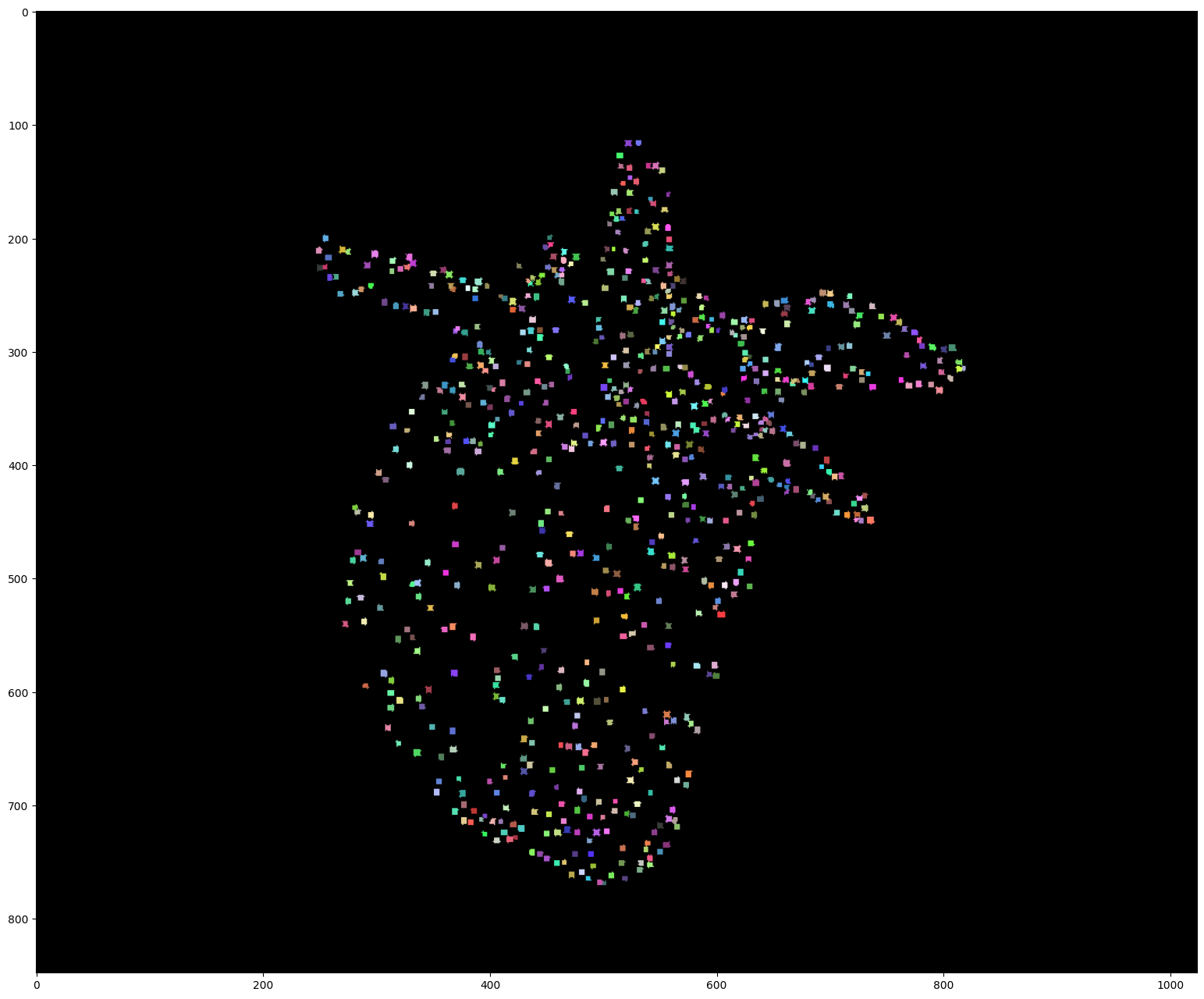
[16]:
# Display the first detections

segmentation = detections_sequence[0].segmentation

if detections_sequence[0].dim == 3:  # 3D
    segmentation = segmentation[segmentation.shape[0] // 2]  # Show the segmentation in the middle of the stack

np.random.seed(0)
colors = np.random.randint(50, 255, (detections_sequence[0].length * 2, 3))
colors[0] = 0

plt.figure(figsize=(24, 16), dpi=100)
plt.imshow(colors[segmentation])
plt.show()
[17]:
# Display the video and detections with Napari

viewer = byotrack.napari.visualize(video, detections_sequence)