Video
In ByoTrack videos are expected to be Sequences of frames. We support 2D and 3D videos.
We use numpy to represent frames: each frame is a numpy array of shape ([D, ]H, W, C). The data type can be floating or integer but most of the codes of ByoTrack will expect the frames to be normalized into [0, 1] and we strongly advise to normalize videos.
ByoTrack have its own Video object (byotrack.Video) that enables you to read, slice and normalize videos without loading the full video in RAM. In this notebook, we explain how to read, slice, normalize and visualize such Video object in ByoTrack.
NOTE: In ByoTrack, the Video object can always be directly replaced by a 4D/5D array (T, [D, ]H ,W, C) or a Sequence of array [([D, ]H, W, C), …]. Such array can also be wrapped inside a Video object to facilitate the access to ByoTrack API.
[1]:
import matplotlib.pyplot as plt
import numpy as np

import byotrack
import byotrack.napari  # For Napari visualization [REQUIRES NAPARI]
import byotrack.visualize
Loading videos
A Video can be loaded from a single file (typically mp4 or avi). We support standard format (All those supported by OpenCV) and TIFF stacks.
We also support the loading of multiple files. If you give a folder as input path, ByoTrack will try to infer the list of files by itself. It supports most format of images (png, jpeg, gif, …. and also Tiff stack).
For more complex cases, you can write your own VideoReader following those already implemented or simply load by yourself the video as numpy array.
[2]:
# Loading a video from a file:

video = byotrack.Video("path/to/video.ext")

if video.ndim == 4:
    print("Video shape: T={}, H={}, W={}, C={}".format(*video.shape))
else:
    print("Video shape: T={}, D={}, H={}, W={}, C={}".format(*video.shape))

print("Video dtype:", video.dtype)
Video shape: T=13, D=126, H=960, W=660, C=2
Video dtype: uint16
[3]:
# Loading a video from a folder:
# ByoTrack will find the most common extension in the folder and expect
# these files to be the images (sorted alphanumerically).

video = byotrack.Video("path/to/images/")

if video.ndim == 4:
    print("Video shape: T={}, H={}, W={}, C={}".format(*video.shape))
else:
    print("Video shape: T={}, D={}, H={}, W={}, C={}".format(*video.shape))

print("Video dtype:", video.dtype)
Video shape: T=1764, H=1010, W=1010, C=1
Video dtype: uint8
[4]:
# Loading a video from a list of files:
# You may also provide the full list of path yourself

video = byotrack.Video(
    "path/to/main_folder",
    paths=[
        "path/to/main_folder/first_frame.png",
        "path/to/main_folder/second_frame.png",
    ],
)

if video.ndim == 4:
    print("Video shape: T={}, H={}, W={}, C={}".format(*video.shape))
else:
    print("Video shape: T={}, D={}, H={}, W={}, C={}".format(*video.shape))

print("Video dtype:", video.dtype)
Video shape: T=2, H=1010, W=1010, C=1
Video dtype: uint8
[5]:
# You can also load example videos provided by ByoTrack (See `byotrack.example_data`)
# Videos are downloaded in a user data folder and then read.

import byotrack.example_data

video = byotrack.example_data.hydra_neurons()  # 2D example

print("Video shape: T={}, H={}, W={}, C={}".format(*video.shape))
print("Video dtype:", video.dtype)
Video shape: T=1000, H=848, W=1024, C=3
Video dtype: uint8
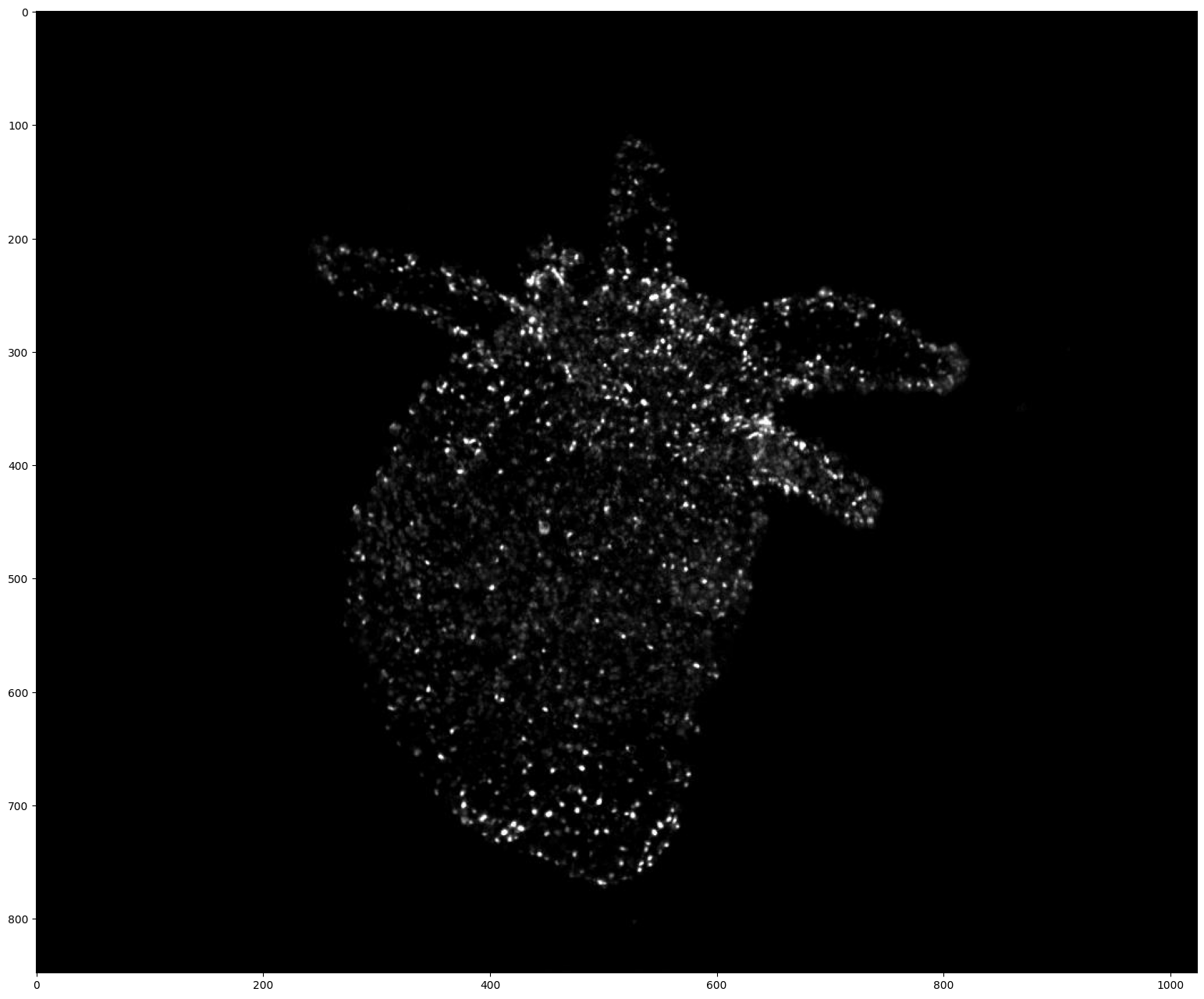
[6]:
# Display the first frame of a video.
# This may not work for uint16 videos where normalization should be apply before visualization

frame = video[0]
if video.ndim == 5:  # (T, D, H, W, C) (3D video)
    frame = frame[frame.shape[0] // 2]  # Show the frame in the middle of the stack

plt.figure(figsize=(24, 16), dpi=100)
plt.imshow(frame)
plt.show()
Preprocessing
ByoTrack provide some video preprocessors that are run at frame loading time. In particular, ByoTrack provide a normalization and channel/axis projection preprocessing.
If you have an array-like video, consider wrapping it inside a byotrack.Video (video = byotrack.Video(video)). Otherwise, all preprocessors are also designed to work on array-like video with the process_video method, but this can not be apply on the fly.
1. Normalization
Normalization (byotrack.video.IntensityNormalizer) standardize the intensity of the video into [0, 1]. It applies the same transformation to all the frames on the fly, and computes the statistics of the transformation on the first N (compute_stats_on) frames of the video.
In practice, byotrack provides a quicker normalize method in the Video object.
[7]:
byotrack.video.IntensityNormalizer?
Init signature:
byotrack.video.IntensityNormalizer(
    q_min: 'float',
    q_max: 'float',
    smooth_clip: 'float' = 0,
    compute_stats_on: 'int' = 50,
) -> 'None'
Docstring:
Normalize each channel intensity into [0, 1].

`mini` and `maxi` values are computed using quantile of the video to improve stability.
The quantiles are computed using only the first `compute_stats_on` frames.

Frame shape is preserved, but dtype is changed to float32.

Note: A `smooth_clip` can be performed by log clipping values above `maxi` up until the log max.

Attributes:
    q_min (float): Quantile of the minimum value to consider
    q_max (float): Quantile of the maximum value to consider
    mini (np.ndarray): Minimum value kept (one for each channel)
        Shape: (C, ), dtype: float32
    maxi (np.ndarray): Maximum value kept (one for each channel)
        Shape: (C, ), dtype: float32
    smooth_clip (float): Smoothness of the clipping process (`a`)
        If 0, values are clipped on mini/maxi
        Else, values above maxi are log clipped:
        I = 1 + a log((I - 1)/a + 1) for I > 1, with `a` the `smooth_clip` factor
        Typical values are between 0 and 1.
        Default: 0 (hard clipping)
    max (np.ndarray): True maximum values (one for each channel) when using smooth clipping
        Shape: (C, ), dtype: float32
    compute_stats_on (int): Max number of frames to compute stats on.
        It prevents heavy computations that may occur on large videos.
        Default: 50
File:           ~/workspace/pasteur/byotrack/src/byotrack/video/preprocessor/normalizer.py
Type:           ABCMeta
Subclasses:
[8]:
# Normalize the video based on the quantile over the 10 first frames
normalized = video.normalize(q_min=0.01, q_max=0.999, compute_stats_on=10)

# Equivalently you can add directly the preprocessor to your video (This modifies video inplace)
# video.add_preprocessor(byotrack.video.IntensityNormalizer(q_min=0.01, q_max=0.999, compute_stats_on=10))

print("Video dtype:", normalized.dtype)  # dtype is now float32
Video dtype: float32
2.Channel aggregation
For multi-channel video, one probably has to first select a channel or aggregate the channel into a single one. This is provided by byotrack.video.ChannelProjection.
[9]:
byotrack.video.ChannelProjection?
Init signature:
byotrack.video.ChannelProjection(
    method: "Literal['mean', 'min', 'max', 'select']" = 'mean',
    selected: 'int' = 0,
)
Docstring:
Projection of the video channel.

Allows to reduce multi-channel videos into single channel videos.

Attributes:
    method (Literal["mean", "min", "max", "select"]): Projection method.
        "mean", "min" and "max" aggregate the channels with the appropriate function.
        "select" simply selects one specific channel.
        Default: "mean".
    selected (int): Selected channel if method is "select".
        Default: 0.
File:           ~/workspace/pasteur/byotrack/src/byotrack/video/preprocessor/channel_projection.py
Type:           ABCMeta
Subclasses:
[10]:
# Channel averaging
# video.add_preprocessor(byotrack.video.ChannelProjection("mean"))

# Channel selecting (note that it modify in place, and therefore running twice will raise IndexError)
video.add_preprocessor(byotrack.video.ChannelProjection("select", 1))

print("Video shape: T={}, H={}, W={}, C={}".format(*video.shape))
Video shape: T=1000, H=848, W=1024, C=1
3. Spatial projection
3D videos can be projected into 2D videos using byotrack.video.SpatialProjection.
[11]:
video = byotrack.Video(np.random.randn(10, 10, 50, 50, 1))  # T, Z, Y, X, C <=> T, D, H, W, C

print("Video shape: T={}, D={}, H={}, W={}, C={}".format(*video.shape))

video.add_preprocessor(
    byotrack.video.SpatialProjection("X", "max")
)  # Max projection on axis X (last dim before channels)
# video.add_preprocessor(byotrack.video.SpatialProjection(0, "mean"))  # Mean projection on axis Z (First dim after time)
# video.add_preprocessor(byotrack.video.SpatialProjection("H", "select", 25))  # Select slice 25 of axis Y.

print("Video shape: T={}, D={}, H={}, C={}".format(*video.shape))
Video shape: T=10, D=10, H=50, W=50, C=1
Video shape: T=10, D=10, H=50, C=1
4. Stacking preprocessors
Preprocessors are stored in video._preprocessors, and are applied sequentially. They can be removed by resetting video._preprocessors = [].
[12]:
# Let's reload the example video:
video = byotrack.example_data.hydra_neurons()

print("Video shape: T={}, H={}, W={}, C={}".format(*video.shape))
print("Video dtype:", video.dtype)

# And now let's start with channel selection, then normalization:
video.add_preprocessor(byotrack.video.ChannelProjection("mean"))
video = video.normalize()

print("Video shape: T={}, H={}, W={}, C={}".format(*video.shape))
print("Video dtype:", video.dtype)

# Let's remove the preprocessors:
video._preprocessors = []

print("Video shape: T={}, H={}, W={}, C={}".format(*video.shape))
print("Video dtype:", video.dtype)
Video shape: T=1000, H=848, W=1024, C=3
Video dtype: uint8
Video shape: T=1000, H=848, W=1024, C=1
Video dtype: float32
Video shape: T=1000, H=848, W=1024, C=3
Video dtype: uint8
Temporal and spatial slicing
Video objects allows you to slice temporally and spatially the video. Slicing simply creates a new view on the data without modifying it nor reading it, except if you provide an integer on the temporal axis.
[13]:
# Check the length of the video (number of frames)

len(video)
[13]:
1000
[14]:
# Byotrack supports any temporal slicing

# For instance, we slice the first axis (time) using a negative step (the video will be loaded in the reverse order)
# from frame 50 to 0. (51 frames)

len(video[50::-1])
[14]:
51
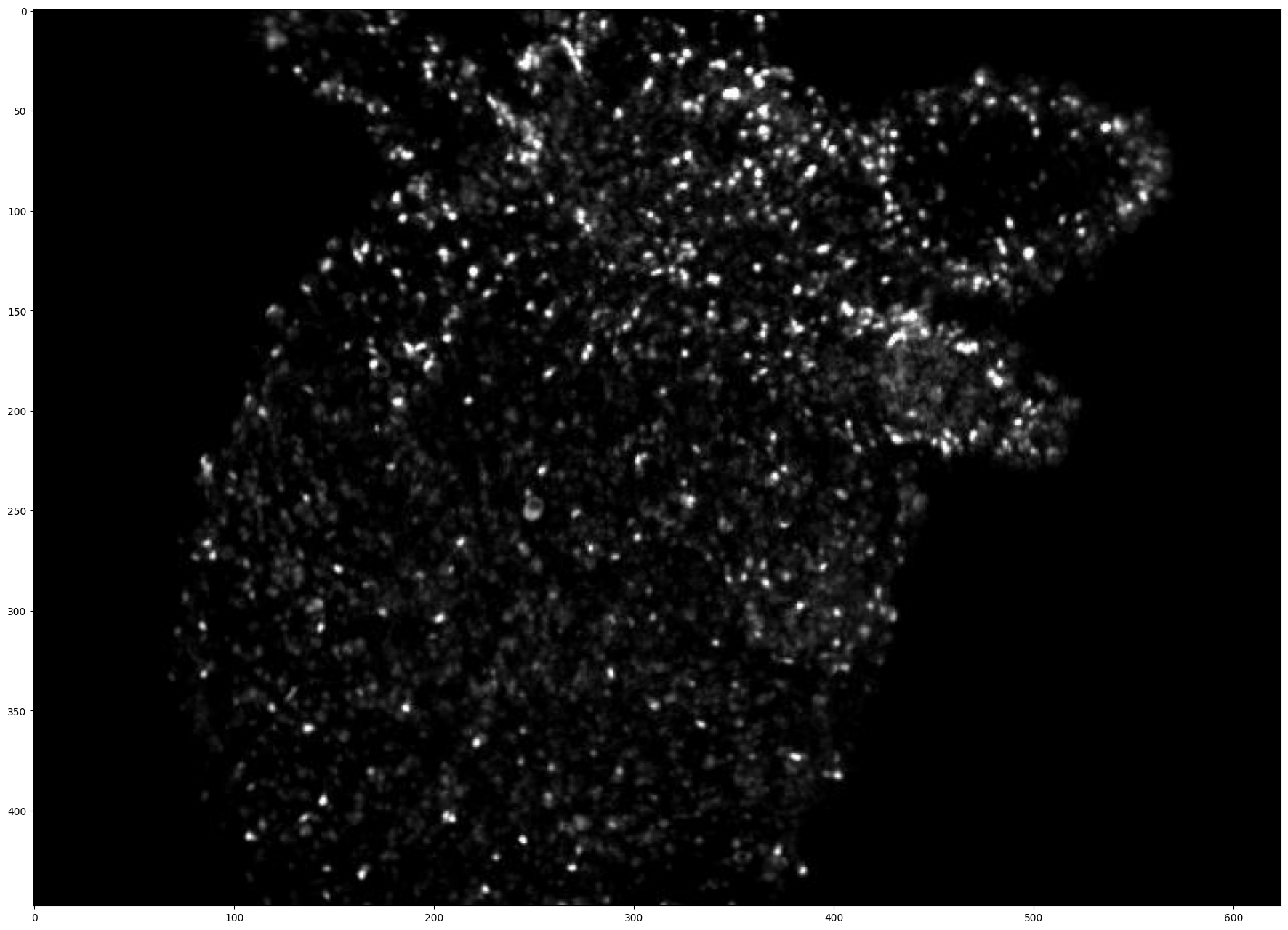
[15]:
# You can also add any positional slicing on the height/width to extract a constant square ROI on the video

# Let's take the frames from 150 to 250 and centered on the middle of the animal

v = video[150:250, 200:-200, 200:-200]
v.shape  # 100 frames of shape (448, 624)
[15]:
(100, 448, 624, 3)
[16]:
# Display the first frame of this sliced video


frame = v[0]
if v.ndim == 5:  # (T, D, H, W, C) (3D video)
    frame = frame[frame.shape[0] // 2]  # Show the frame in the middle of the stack

plt.figure(figsize=(24, 16), dpi=100)
plt.imshow(frame)
plt.show()
[17]:
# Compare with frame 150 of the original video

(v[0] == video[150][200:-200, 200:-200]).all()
[17]:
np.True_
Visualization
We provide an interactive visualization code to go through video, detections and tracks. It was developed using open-cv and tested on Linux. Depending on the backend opencv uses, it may have different functionalities (zooming, screenshots, …)
[18]:
# Display the video with opencv
# Use w/x to move forward in time (or space to run/pause the video)
# Use b/n to move inside the stack (For 3D videos)
# Use v to switch on/off the display of the video

byotrack.visualize.InteractiveVisualizer(video).run()
[19]:
# You can display a sliced video
# First focus on the 300 first frames, then go backward in time (5 frames at a time) and flip the vertical axis

byotrack.visualize.InteractiveVisualizer(video[:300][::-5, ::-1]).run()
We now also support Napari-based visualization with a real support for 3D images and many more functionnalities. This should work on any platform similarly.
[ ]:
# Display the video with Napari

viewer = byotrack.napari.visualize(video)
Tiff videos specificities
We support the tiff format for videos. We try to infer axes and shapes from the metadata and what the user is trying to do, but our TiffVideoReader accepts some extra arguments to overwrite this.
Also for large 3D videos, we implemented an on-read slicing, allowing to load only the part of the frame your interested in.
[20]:
# See the doc of the TiffVideoReader

byotrack.video.reader.TiffVideoReader?
Init signature:
byotrack.video.reader.TiffVideoReader(
    path: 'str | os.PathLike',
    level=0,
    axes: 'str | None' = None,
    ax_slice: 'dict[str, slice] | None' = None,
    **kwargs: 'Any',
)
Docstring:
Tiff video reader with tifffile. Handle 2D and 3D videos with any channels.

Axes are inferred from the tifffile metadata and convert into (T, [D, ]H, W, C) (<=> T[Z]YXC).
We may not support all formats, or your specific metadata can be wrong/missing. In this case,
you can also provide the expected axes of the tifffile using an ordered string.

For example: "TYX" for 2D videos without channel, "TCZYX" for 3D videos with channels
(ordered by time, channel then stack), "ZTYX" for 3D videos without channels (ordered by stack then time).

Note:
    With tifffile syntax, we use X for width, Y for height, Z for depth and
    C/S for channels (C and S are not supported together) and T for time.
    Any other letter (I, O, Q, ...) is first interpret as T if it is missing,
    then Z if it is missing, and finally it will yield an error.

It also supports to read the tiff at a specific resolution level

See `VideoReader` for inherited attributes.

Attributes:
    out_axes (str): Axes order of the outputs
    level (int): Resolution level (if any)
        Default: 0 (finest level)
    in_axes (dict[str, int]): Parsed in axes
    ax_slice (dict[str, slice]): Optional slices to use on axes.
Init docstring:
Constructor.

Args:
    path (str | os.PathLike): Path to the TIFF file.
    level (int): Resolution level to read (0 = finest).
        Default: 0.
    axes (str | None): Override the axes found in the TIFF metadata.
        An ordered string such as ``"TYX"`` or ``"TCZYX"``.
        Default: None (infer from metadata).
    ax_slice (dict[str, slice] | None): Optional per-axis slices applied when reading
        each frame (e.g. ``{"Z": slice(0, 10)}``). Temporal slicing is not supported here;
        use Video slicing instead.
        Default: None (no slicing).
    **kwargs: Additional kwargs forwarded to ``tifffile.TiffFile``.
File:           ~/workspace/pasteur/byotrack/src/byotrack/video/reader.py
Type:           MetaVideoReader
Subclasses:
[21]:
# Overwrite the axis of the tiff stack
# ByoTrack reads the metadata to find the name of each axis. This allows to manually overwrite this behavior.
# We use ImageJ convention for tiff axes: T for time, Z for stack, Y for height, X for width and C/S for channels.
# Most tiff are usually sorted in a TZYX order (without channels)

# Default loading
video = byotrack.Video("path/to/video.tiff")

print("Video shape: T={}, D={}, H={}, W={}, C={}".format(*video.shape))

# Let's interpret the first axis as channels no matter the metadata in the tiff.
video = byotrack.Video("path/to/video.tiff", axes="CTZXY")

print("Video shape: T={}, D={}, H={}, W={}, C={}".format(*video.shape))
Video shape: T=13, D=126, H=960, W=660, C=2
Video shape: T=126, D=2, H=660, W=960, C=13
[22]:
# On-read slicing the axis of the tiff stack
# This allows to reduce memory and time consumption for video loading when large frames are involved

# For instance here, we downscale the Z axis by 2, and select only the second channel at read time.
video = byotrack.Video("path/to/video.tiff", ax_slices={"Z": slice(None, None, 2), "C": slice(1, 2)})

print("Video shape: T={}, D={}, H={}, W={}, C={}".format(*video.shape))
Video shape: T=13, D=63, H=960, W=660, C=1